Trying to sign in to your Hotmail account? Here in this up to date and complete guide we will guide you how you can log in to your Hotmail account on various devices like Laptop, tablet and smartphones quickly.
Hotmail is still around, now part of Outlook.com. Microsoft gave it a new name Outlook.com but you can still use @hotmail.com or @outlook.com addresses. It's still free and the inbox stays simple.
Quick Sign-in Page: https://login.live.com/
How to Log in to Hotmail Account?
Go to the official Hotmail sign in page, input your Hotmail email or phone number, enter the password, and tap "Sign in".
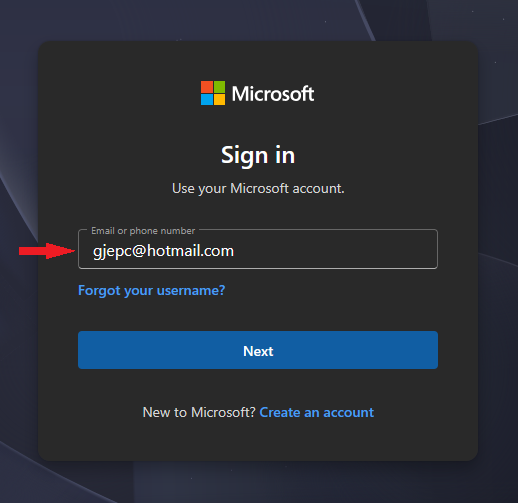
Sign in Hotmail Account on Desktop
- First visit https://outlook.live.com/.
- On the top-right corner, click the "Sign in" button.
- After that enter your Hotmail account email.
- Then type in your password, and press "Sign in".
Sign in Hotmail Account on Android
Get: Outlook App for Android
- Open Hotmail app.
- Then tap on "Add Account".
- Type in your email address, then tap "Continue".
- Enter your password.
- Tap "Sign in".
Sign in Hotmail Account on iOS
Get: Outlook App for iOS
- Open the hotmail app.
- Then tap on "Add Account".
- Type in your email address, then tap "Continue".
- Enter your password.
- Tap "Sign in".
Sign In to Hotmail via Other Email Apps (IMAP/POP/SMTP)
IMAP (incoming)
- Server: imap-mail.outlook.com
- Port: 993
- Security: SSL/TLS
POP (incoming)
- Server: pop-mail.outlook.com
- Port: 995
- Security: SSL/TLS
SMTP (outgoing)
- Server: smtp-mail.outlook.com
- Port: 587
- Security: STARTTLS
- Authentication: required
- Username: Full Hotmail address
- Password: Hotmail password or an app password
Tip: If you’re using two-factor authentication, use an app password instead of your regular password.
Sign in Hotmail with two-factor authentication
- Sign in to your Microsoft account at account.microsoft.com, then open the Security settings page.
- Find Two-step verification and switch it on.
- Select how you like to get codes, Authenticator app, text messages, or email.
- Save the backup codes.
Troubleshooting Hotmail Sign in Issues
- Make sure internet in connected to the device your are using.
- Enter your email/password correctly, reset with Forgot password if needed.
- Clear cache/cookies, try another browser or private window and disable blockers.
- Still stuck then check Microsoft Status page or contact Microsoft support.
Frequently Asked Questions
How do I sign in to Hotmail?
Go to outlook.live.com (or mail.hotmail.com). Sign in by entering your Hotmail email and password. If two-factor authentication is set up, complete the secondary verification to open your inbox.
I can’t sign in. What should I try first?
Double-check you’re using the correct Hotmail address, ensure Caps Lock isn’t on, try a different browser or device, clear cookies/cache, and disable VPNs or proxy servers.
Can I sign in to Hotmail from a mobile device?
Yes. You can use the Outlook mobile app (iOS/Android) or sign in via the mobile browser at outlook.live.com. Use your Hotmail address and password (and 2FA if enabled).
What should I do if the Hotmail sign in page shows an error like “Something went wrong” or “We can’t sign you in right now”?
Check Microsoft’s service status, wait and try again later, and clear your browser cache/cookies. If the problem persists, try a different browser or device, and ensure cookies are allowed. If ongoing, use account-recovery to verify ownership.